• Skip to main content
  • Skip to main content
Choose which site to search.
University of Arkansas for Medical Sciences Logo University of Arkansas for Medical Sciences
Students: Educational and Student Success Center
  • UAMS Health
  • Jobs
  • Giving
  • Student Success Center
  • About Us
    • FAQs
      • Academic Coaching FAQ
      • Peer Tutoring FAQs
      • Presentation Center FAQs
      • Tech Center FAQs
      • Writing Center FAQs
    • Hours
      • Holiday Hours
  • Student Services
    • Learning Services
      • Academic Coaching
      • Peer Tutoring
        • Benefits of Peer Tutoring
    • Tech Center
      • Laptop Lending Policy
    • Writing Center
  • Resources for Students
    • Content Support
    • ESSC Video Resources
    • Learning Support
    • Tech Support
      • Blackboard – How To
      • Blackboard App – How to
      • How do I connect to UAMS Wi-Fi on my mobile device?
      • How do I get email on my mobile device?
      • How to setup my UAMS Zoom account?
      • Respondus Lockdown Browser – How To
      • Software recommendations
    • Writing Support
  • Student Success Blog
  • Request Help
    • Get Help with Your Classes
    • Get help with your laptop or mobile device
      • Request to use a laptop
    • Peer Tutors – Submit a session timesheet
    • Submit your document to the Writing Center
      • Reserve the Presentation Center
  • Quick Links
  • Faculty & Staff
  1. University of Arkansas for Medical Sciences
  2. Students
  3. Educational and Student Success Center
  4. Student Success Center
  5. Page 4

Student Success Center

Deeper Critical Reading with LiquidText

The way we read and take notes is highly personalized. Everyone has their own method for learning new information from text, and there is a different tool for every style of note-taking. Note-taking and annotation tools can be expensive and free note-taking and annotation tools often limit the user to highlighting and adding short comments.  Rarely do they have the features necessary for deep, critical reading. However, I recently discovered a new free tool called LiquidText that can take your reading and note-taking to a deeper level.

What is LiquidText?

LiquidText is a free PDF and document annotation tool for iPad that allows you to read text in a flexible environment. Import your content from Dropbox, iCloud, Google Drive, email or directly from a webpage, and then highlight, make notes, and comment as you read. LiquidText works with PDF, Word, and PowerPoint documents and with webpages.

LiquidText has an impressive array of features. You can create excerpts, add notes, and then organize them in the workspace next to your document. The workspace allows you to pull out, organize, and map your ideas while staying connected to the text. The workspace is flexible, allowing you to determine how your ideas will be connected and organized. The following video by LiquidText demonstrates its many features.

Comprehend More with LiquidText


You can connect your ideas across multiple pages, and comment on multiple pages at once. When you are finished, you can share your annotated files with others through Dropbox, iCloud, or email.

How is LiquidText Different?

One thing that differentiates LiquidText from other annotation programs is its large workspace next to the document. In this workspace you can drag out important passages from the text and connect them to your comments and notes. Connected passages can be linked, moved, and organized however you wish, but they still remain connected to the original text. You can apply your comments to multiple sections and connect comments into groups. Because the app was developed for touchscreen technology, you can “scrunch” and “pinch” pages to see text from multiple pages in a single view. Now you can see all your highlights and comments on a single page, making it easy to locate information within your document.

Another useful feature is that you can collaborate with others and share your annotated documents. Save your documents, with all of your notes, comments, and connections as PDF files, and upload them to Dropbox, iCloud, Google Drive, or share them through email. Sharing information can lead to deeper, more meaningful review sessions and improve academic performance.

LiquidText is a well-designed app that is intuitive, easy to use, and provides enough flexibility to meet the needs of individual note-takers. It offers more features than any other free app, and helps make your notes more meaningful and reflective. The process for linking notes and comments makes sense, and is easy to undo if you make a mistake. In fact, I like just about everything about this app. The only drawback I find is that it is only available for the iPad, and at this time there isn’t an android version being tested. If you are an iPad user, I highly recommend this app. You certainly can’t beat the price.

Filed Under: Student Success Center

SSC Open House: Connect with Learning Resources

Are you meeting your goals for academic success? Sometimes, a few simple changes can make all the difference in the way you perform. The Student Success Center was created to support all UAMS students with the resources and services they need to achieve their goals.

The SSC Winter Open House on Wednesday, January 27th is a great time to learn about what we have to offer. Come by between 2:00pm and 4:00pm and take the opportunity to

  • Talk with a Learning Specialist about things like time management, organization, note-taking, study skills, and test taking tips.
  • Ask the faculty in the Writing Center about ways to improve your writing projects.
  • Chat with the Laptop and Mobile Device Support Technician about ways to improve and maintain laptop performance.
  • Try different educational apps and websites to see if they might help streamline your workflow or improve your academic habits.
  • Ask our Testing Coordinators how to make your experience in the Testing Center less stressful and more efficient.
  • Set up a meeting with our staff if you want a more personalized and in-depth discussion about your particular needs.
  • Check out or space and have a cookie.

If you don’t find what you need, tell us what you are looking for. We will work with you to find it. Most of all, we want to get to know you and help you to have a very successful academic year.

SSC Winter Open House

Wednesday, January 27, 2016

2:00pm to 4:00 pm

3rd Floor Library/ED II Building

Filed Under: Academic Success, Student Success Center Tagged With: student success

MeetingWords: Notes and Chat

Note taking is usually a personal effort, with each person acting as a dedicated recorder. But notes tend to reflect how a particular student understands the content. It can make it difficult for the student to see alternate perspectives, or identify gaps in their understanding. Collaborative note taking, using websites like MeetingWords, can help students take more comprehensive notes, and offers opportunities for peer support and interaction while learning new material.

About MeetingWords

MeetingWords is a free online notepad and chat room that allows people to work and communicate in real time. It is simple to use and doesn’t require you to sign up or register. You use it when you need it, and then discard it when you are done.

Getting started is easy. Simply go to MeetingWords, click on Create a public pad, and begin typing. Once you are started, you can click on Share pad to get a link you can post publicly or send to select invitees. Take a look at the video below to see how the process works.
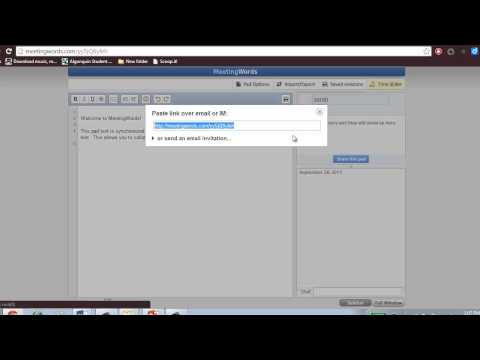
Intro to MeetingWords

With MeetingWords, up to 32 people can edit and view your document at the same time. All edits and chat are made in real time, so everyone sees the latest version. All inputs are saved as they are generated, so multiple authors can work at the same time without overwriting another’s changes. Each contributor has a different highlight color, so it’s easy to identify who is making edits.

There are a lot of good reasons to use MeetingWords. It’s easy to set up and use, no registration is required, and it offers opportunities for large group collaboration in real time. You can bookmark your document for repeated use and download it into a savable format when you are finished.

There are a couple of disadvantages with MeetingWords, but for me they aren’t a deal breaker. First, MeetingWords isn’t available as an app for mobile devices, you can only use it through through the website, so you are restricted to using it on laptops, notebooks, and desktops. Second, it is designed for short-term collaboration, so if your document isn’t accessed for seven days it will get deleted. However, since the document is downloadable, I don’t consider this much of a problem.

Using MeetingWords

MeetingWords is a great tool for taking collaborative notes during class lectures, presentations, and videos. It facilitates multiple perspectives about the content, and the chat feature offers students the opportunity for peer support and discussion. Students can ask one another questions and even arrange to meet later for informal review sessions.

MeetingWords is a quality alternative for those times when you don’t have access to or don’t want to use Google Docs. Since it doesn’t require registration or login, it’s a great tool for quick collaboration and informal dialogue during class sessions.

Filed Under: Student Success Center

Academic Resolutions

There’s something about the start of a new year that makes us want to make changes. I think this is why people make New Year’s resolutions. Having a specific start date makes it easier to decide to make changes. A New Year’s resolution can be about anything you want to change in your life. Often, people resolve to change their diet or begin a new fitness routine. Sometimes, they decide to learn a new skill or to travel somewhere they’ve always wanted to visit. Resolutions can be intensely personal, like resolving to spend more time with family, or to repair a broken relationship. The point is, the start of a new year is a powerful motivator to make needed changes in your life.

January 1st falls in the middle of the academic calendar, so people don’t always think about making academic resolutions, but it’s a great opportunity to change something that isn’t currently working for you. Think back over the last semester.

  • How successful were you?
  • Did you meet your goals?
  • Were your goals attainable?
  • How well did you balance your academic requirements with the other areas of your life?
  • Did you manage your time as effectively as you could?
  • Did you work hard enough to achieve your goals?
  • If you worked hard, do you need to find ways to work smarter so you can maximize your study time?

Potential academic resolutions lie in your answers to these questions. If everything is running smoothly, that’s great! But if it isn’t, what do you want or need to change? If Plan A isn’t working, then it’s time to move to Plan B or even Plan C. No plan is ever perfect. You should always be updating and changing your plan based on your needs. What worked for you in the past may not work in your current situation. So, make a new plan and meet your goals for academic success.

If you want some help creating a new plan, the Student Success Center has a wide range of resources to help you find what you need. Visit the Learning Resources webpage to find materials that provide support and guidance. The Writing Resources page is loaded with all kinds of online writing sites that can answer your questions. The Apps, Tools, and Websites page offers a selection of time management, organization, and note-taking apps and websites for students who are looking for tech solutions to managing their academic workload. And if you don’t see what you need, tell us what you are looking for. We will work with you to find it. Stop by our offices on the 3rd floor of the Library or use the Contact Us form to tell us what you need. We want you to have a very successful New Year.

Filed Under: Student Success Center

Take Care of Yourself

With finals over, UAMS students are ready to take some time off and relax. Last week, in the blog, we looked at the negative physical and mental effects of prolonged stress. This week we will focus on ways for you to take care of yourself during your Winter Break.

Habit Seven in Stephen Covey’s book, The Seven Habits of Highly Effective People, is called “Sharpen the Saw”. It involves taking the time to practice self-care, or taking care of yourself. In your academic pursuit you are the most important asset you have, but you can’t continue to perform at your best unless you take the time care for yourself.  So, here are four ways you can do this over the Winter Break.

Take Care of Your Physical Self

No doubt you want to have some fun during your break, but take time to get some rest and relax. You don’t want to return in January more tired than you were when you left.  During the crunch of finals, many students don’t take time for meals or eat enough of the right foods. What you put into your body is important, so refuel your body by making good food choices.  And, make time to exercise. While it is tempting to lay around watching movie marathons on Netflix, exercising consistently for thirty minutes three to six times a week will increase your ability to be proactive when you return to campus instead of reacting to all the outside forces around you.

Take Care of Your Brain

After all the studying and preparing you do before your finals, you may think that you just need to empty your brain for a while. What you want to do is feed it; or more specifically, feed the creative side of your brain. Let’s face it; almost all your finals required you to use the left side of your brain. You had to practice logical thinking, accuracy, and analysis, and all that brain work has left you exhausted. To refresh your brain do something creative. Read a book, just for fun. Write in your journal, or blog, or just a letter to a friend or family member. Paint something, take some pictures, build in Minecraft, sing and dance, or play some video games. Do something that requires you to be intuitive, subjective, random, and creative. Rest the left side and enjoy engaging the right side of your brain.

Take Care of Your Spirit

Taking care of your spirit means to reconnect to your value system and the things that inspire you. This is a very personal form of renewal and people do it very differently. Some people immerse themselves in distinguished literature or surround themselves with great music. Others head outdoors to communicate with nature. Still others refresh their spirit through prayer and meditation. Whatever method you use, take the time to reconnect and recommit yourself to those things that inspire and uplift you.

Take Care of Your Emotional Self

Take some time to heal after the stress of finals. Spend time with people you enjoy: family and friends who make you feel loved and secure. Perform at least one act of service, especially an act of anonymous service, where you will gain nothing more than the satisfaction of helping others. Make a difference to someone else on a small way. As humans, doing something that is meaningful and beneficial to others brings out the best in us and renews our emotional self.

You will find that the best self-care comes through finding the balance in each of these four areas. So enjoy your Winter Break, take good care of yourself, and we will see you when you return in January.

Covey, S. (1990). The Seven Habits of Highly Effective People. New York: Simon and Schuster

Filed Under: Student Success Center

The Stress of Finals: Almost Finished

Just like a runner who catches sight of the finish line and knows he is almost at the end of the race, the arrival of finals week signals to the student that the long semester of hard work is almost over. With the end so close we summon that extra boost of adrenaline to get use through to the end. It’s one of the benefits of stress that helps us do what needs to be done.

One of the drawbacks of stress is that if we stay stressed for too long, it can start to take its toll on our bodies. We weren’t meant to always live under a stress cloud. However, some periods of stress are unavoidable, so it’s important to be aware of how stress is affecting you and find ways to combat it. The video below offers a short lesson on how stress affects our bodies.

How stress affects your body - Sharon Horesh Bergquist

Knowing how stress affects you can help you stay healthy and sharp during your finals week. If you find yourself needing a few quick relaxation tips right now, check out our Relaxation Exercises. Another important step is to start thinking of ways to rest, relax, and renew your mind and body during the upcoming Winter Break. In the next post we will share ways to practice self-care so you can return in January ready for the new semester.

Filed Under: Student Success Center

Overcoming Test Anxiety

This post was written by Dr. Jasna Vuk and Ashley Phillips in the Student Success Center. For more information on learning services and resources offered by the Student Success Center, visit the Student Learning Services page.

Have you ever walked into a test and started to sweat, felt your heart racing, or had trouble concentrating? This could be test anxiety. One of us (Ashley) had a professor in graduate school who could bring about these symptoms in his students just by saying, “Sit down & take out your blue books”. Let’s look at some causes of test anxiety and some ways to address it. Because this will be general information, we’ve listed several in-depth resources at the bottom of this post.

Sometimes when students don’t do well on a test, or have only one major test in a class, they begin to worry about the future. They believe that they’ll earn low grades on future tests as well, or they picture a negative outcome for the entire course. Instead of focusing on possible events that have not happened, we encourage you to focus on positive action steps that you can control right now.

For test anxiety that presents itself in negative thoughts or fears about the future, using positive self-talk is one way to stay grounded in the present. For example, if you begin to feel anxious, think positively to yourself about what you can control. Think something like, “I know that I’ve studied for this test. I’m going to answer each question one at a time. I’ll put a mark next to any question I’d like to revisit, and I’ll come back to it at the end. I may remember the answer as I’m completing the rest of the test”. Focus on the positive, and focus on what you can control.

Relaxation exercises also can give you a chance to step back from the situation for a moment. Being more relaxed can help you remember the information you’ve studied. Some relaxation exercises include breathing in deeply and exhaling slowly, visualizing a peaceful and relaxing setting, or tensing and releasing specific groups of muscles.

Sometimes, though, test anxiety comes from not preparing well. Some students try to “cram” their studying into the last few days before a test, and will skip meals or stay up all night right before a test. Being hungry, tired, and limited on time means that the information will be harder to learn in the first place, as well as harder to recall on the test. In this case, test anxiety can be an indicator that you could be preparing better. Instead of cramming, take the time to review information daily, and set aside enough time to complete any last assignments and to take care of yourself.

We hope that the next time you take a test, you find yourself well-prepared and able to take positive action steps. More information about test anxiety and preparing for tests is available on the Learning Resources page of the Student Success Center website. To discuss anxiety with a health professional, contact the UAMS Student Wellness Program at 501-686-8408.

Filed Under: Student Success Center

Plan Ahead for Finals

Marathoners say to do “nothing new” on race day. This is not the time to try different running shoes, skip a couple of training days, or rely on a new type of snack bar.  Something that works for one person may cause problems for someone else who tries it at the last minute. Each academic semester is like training for a marathon, and finals are like race day.

If we could give you one piece of advice before finals, it’s to continue the study habits that already work for you. This may take some extra planning, since November and December can be busy in class and outside of class. Let’s talk about some ways to plan ahead.

Identify which study habits work the best for you.

These can include creating personal study guides from class notes, studying in a group, or studying alone in a quiet place. Feel free to improve your existing study habits, just make sure to keep the ones that already work for you.

Organize your study materials.

Gather your notes, textbooks, and study guides for each course into one physical or electronic location. Also consider what else you’ll need in order to prepare well. Is your final going to cover all of the information from the semester, or will it just cover the information since the last exam? Will you need internet access, and do you have a plan for this if you’re out of town or if your regular study space isn’t available?

Make a study plan.

  1. List each week between now and the end of finals (at this point, there are 4-6 weeks left).
  2. Write down the assignments and exams for each week, along with your expected study time for each. Things probably will take at least as long as they have in the past.
  3. Add outside of class events that will happen between now and the end of finals, especially out of the ordinary events that may conflict with your regular study time (covering a shift for a coworker, the library being closed for holidays, traveling for holiday celebrations, days off school for children, etc.).
  4. If you do have a time conflict, decide now if you’re going to move your study time to a different time or if you’re going to say no to the event.

Take care of yourself.

Just like a marathoner, make time to get the nutrition, exercise, and emotional support that you need. For example, if you’re going to be studying for several hours, bring a healthy snack that you like to eat. And take 5-10 minute breaks for every 50 minutes that you spend studying. These breaks allows you to process the information that you’ve just studied, and you can use them to take a brisk walk or do a relaxation exercise like taking deep breaths.

Remember; plan ahead now so that you’ll be able to continue the study habits that already work for you. Having realistic expectations about how to study, what to study, what these next few weeks will require, and how to take care of yourself can help you prepare well for finals. We wish you all the best!

Ashley Phillips is a Student Learning Specialist in the Student Success Center, 3rd Floor/UAMS Library. You can contact Ashley at sscpeertutoring@uams.edu.

Resources

“Find Help When You Need It”, Student Success Center Blog, September 21, 2015

Weekly Planner: http://www.mytimemanagement.com/support-files/weekly_planner.pdf

Daily Planning & To-Do List: https://students.uams.edu/success/wp-content/uploads/sites/3/2022/08/Daily-Planning-and-To-Do-List.pdf

Library Holiday Calendar: https://library.uams.edu/library-info/holiday-calendar/

Filed Under: Student Success Center

Learning On Your Terms

In today’s environment, learning is more complicated than ever.  Not only are you required to learn what has been taught for many years, but new discoveries, especially in healthcare, have been incorporated into courses as well. In addition to immense course loads, you are also immersed in the technology of learning where things are available 24/7/365, which is both a blessing and a curse. Put all of this all together and we have a tremendous undertaking for such a simple word….learning.

Ramsey Musallam gave a TED Talk in April of 2013 that proposed a new way to approach teaching and learning. After a life-threatening condition, Mr. Musallam began to look at the way he taught his chemistry students with a different lens. He was motivated by the competence that he witnessed in his surgeon who ultimately saved his life. When Mr. Musallam asked the surgeon what made him so competent, he was told there are 3 rules to learning:

  1. Curiosity comes first – ask the why – questions are the seeds to student learning; ask the hard questions and ask until you have an answer that satisfies your curiosity. The answers might not come from your instructor, but the answer is out there. Find it.
  2. Embrace the messy and inevitable process of trial and error – learning is a process that takes time and effort. By allowing yourself the right to get it wrong, you provide yourself with the opportunity to understand on a deeper level and to truly learn.
  3. Practice reflection to make sense of the information – by taking the time to sit and reflect on the learning that just occurred, you have the opportunity to own that knowledge.

I’ve always loosely lived by the mantra that every day that I learn something new is a good day. This belief has helped put some pretty stressful and overwhelming tasks or situations into perspective because at the end of it, hopefully, I learned something new. By giving yourself permission to ask the questions and seek the answers, allow for mistakes as long as you learn from them, and take time to remember the lessons, you give yourself the freedom to learn on your terms. By approaching learning in this new way, hopefully you will learn something new every day and have many, many good days.

Filed Under: Student Success Center

The Art of Google: 5 Tips to Enhance Your Search Skills

Google is possibly one of the most important inventions of the 20th and 21st centuries. Though it was not the first search engine, it has been heralded as the best. By placing an almost endless supply of information at its users’ fingertips, Google’s popularity soared. Its complex and efficient algorithms gave users accurate, reliable, and fast answers to life’s big questions.

Learning the Art of Google

Today, knowing how to Google efficiently is a recognized skill and businesses seek employees who are accomplished in the art of Google.  To Google is to know more than simply how to translate into a text string the questions which vex the mind and entangle the spirit; it’s knowing how to speak to Google so that Google responds with heartfelt answers. Here are five tips to help advance in the art of Google.

1. Be Specific

The most important advice I can give you is to be specific. Clear communication is essential to any good human relationship and your relationship with Google is no different.  If you’re looking for ducks, search ducks.  If you’re looking for a fix for a computer error, use the error message to search for the solution.

For example, Johnny is getting the following error message

Runtime error 0x01120328a User removed from chair and placed on spaceship.

If Johnny wants to get helpful information from Google, he should enter

Runtime error 0x01120328a User removed from chair and placed on spaceship.

Unfortunately, what Johnny (and most people) will Google is

How did I get on this spaceship?

You see the problem?  Johnny hasn’t communicated clearly to Google about what he needs, so Google is going to show all sorts of possibly interesting, but ultimately unhelpful information.

The likelihood that you’re the first person to ever have your problem is slim-to-none. Most of the time, it’s already online with a solution.  Being specific makes it more likely that you will find what you need. Specificity will also keep you from getting sucked into a conspiracy theory. Specificity helps when you’re working with your friendly IT guy as well.

2. Be Accurate

Accuracy is almost as important as being specific.  Accuracy involves searching for ducks instead of docks, or death taxes rather than death & taxes.  Language is complicated, and though Google does have some of the best technology to gather meaning from syntax, it can’t always distinguish between what you mean and what you say.

3. Gather Information and Try Again

Okay, so you were specific and accurate but still haven’t found what you’re looking for?  What did you find?  Many times, even if the information you’re looking for doesn’t obviously present itself, one of the top 5 results will have some wording in its description or breadcrumbs (links below the result that are part of the website) that will help you in your search.  Incorporate some of these keywords and try again.

4. Learn The Signs

Ducks are pretty general, and maybe you don’t want anything to do with brown ducks. Or, maybe you’re looking for classical music but you think Mozart is too popular.  You can use signs to tell Google that you’d rather not discuss those topics:

  1. The minus sign ( – ) can be used to remove search results that include words or phrase. Searching ducks –brown would get you results on ducks, but none of the results would include the word brown
  2. The plus sign ( + ) will only get you results with whatever word you attach.  Searching ducks +hunting would only get you results that include hunting.
  3. Quotes ( “ “ )  around a specific phrase you want to find is great for solving the errors above. Looking for Runtime error “0x01120328a” User removed from chair and placed on spaceship makes certain you at least find all posts that include that error, increasing your chances in finding a solution to your problem
  4. The asterisk ( * ), also known as the wildcard, can be used when you’re not sure exactly what you need, just a general idea. Maybe you remember it was a something-winged, something-billed buffalo duck.  Instead of searching something-winged something-billed buffalo duck, try searching *winged *billed buffalo duck.
5. Ads Are Never Accurate

Google may be your friend, but never forget that Google began as a poor group of college kids who mostly ate Ramen, and they don’t want to go back.  Google pays for itself by selling ads.  Google may be the biggest ad seller on the internet.  Make sure when you search for Duckbilled Platypus alien coffee mugs you don’t click those pretty green ads on the side or top of your search results.  In fact, you’d be wise to get an ad blocker extension to cut through all of that and avoid the pain those sites often bring.

Executing these 5 tips properly will get you information quickly, and enable you to cut through the heartache that comes with ignorance.  Google is a powerful tool that is often misused, mistreated, and mistrusted due to user error.  Don’t be that guy. Google has what you need; it just wants you to ask nicely.

Filed Under: Student Success Center

  • «Previous Page
  • Page 1
  • Page 2
  • Page 3
  • Page 4
  • Page 5
  • Next Page»
University of Arkansas for Medical Sciences LogoUniversity of Arkansas for Medical SciencesUniversity of Arkansas for Medical Sciences
Mailing Address: 4301 West Markham Street, Little Rock, AR 72205
Phone: (501) 686-7000
  • Facebook
  • X
  • Instagram
  • YouTube
  • LinkedIn
  • Pinterest
  • Disclaimer
  • Terms of Use
  • Privacy Statement
  • Legal Notices

© 2026 University of Arkansas for Medical Sciences