
Note taking is usually a personal effort, with each person acting as a dedicated recorder. But notes tend to reflect how a particular student understands the content. It can make it difficult for the student to see alternate perspectives, or identify gaps in their understanding. Collaborative note taking, using websites like MeetingWords, can help students take more comprehensive notes, and offers opportunities for peer support and interaction while learning new material.
About MeetingWords
MeetingWords is a free online notepad and chat room that allows people to work and communicate in real time. It is simple to use and doesn’t require you to sign up or register. You use it when you need it, and then discard it when you are done.
Getting started is easy. Simply go to MeetingWords, click on Create a public pad, and begin typing. Once you are started, you can click on Share pad to get a link you can post publicly or send to select invitees. Take a look at the video below to see how the process works.
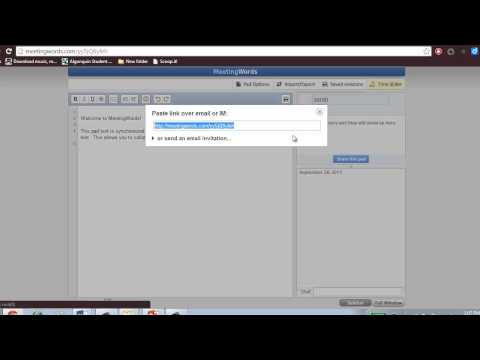
With MeetingWords, up to 32 people can edit and view your document at the same time. All edits and chat are made in real time, so everyone sees the latest version. All inputs are saved as they are generated, so multiple authors can work at the same time without overwriting another’s changes. Each contributor has a different highlight color, so it’s easy to identify who is making edits.
There are a lot of good reasons to use MeetingWords. It’s easy to set up and use, no registration is required, and it offers opportunities for large group collaboration in real time. You can bookmark your document for repeated use and download it into a savable format when you are finished.
There are a couple of disadvantages with MeetingWords, but for me they aren’t a deal breaker. First, MeetingWords isn’t available as an app for mobile devices, you can only use it through through the website, so you are restricted to using it on laptops, notebooks, and desktops. Second, it is designed for short-term collaboration, so if your document isn’t accessed for seven days it will get deleted. However, since the document is downloadable, I don’t consider this much of a problem.
Using MeetingWords
MeetingWords is a great tool for taking collaborative notes during class lectures, presentations, and videos. It facilitates multiple perspectives about the content, and the chat feature offers students the opportunity for peer support and discussion. Students can ask one another questions and even arrange to meet later for informal review sessions.
MeetingWords is a quality alternative for those times when you don’t have access to or don’t want to use Google Docs. Since it doesn’t require registration or login, it’s a great tool for quick collaboration and informal dialogue during class sessions.